






Téléportation dans Minecraft : commandes et méthodes
Minecraft Teleportation: A Comprehensive Guide
Teleportation in Minecraft allows for instantaneous movement between locations, significantly enhancing exploration, circumventing dangers, and facilitating travel between bases or game areas. The methods available vary depending on the game version. This article details each method.
Also Read: How to travel to the Nether via portal
Table of Contents
- General Information on Minecraft Teleportation
- Survival Mode Teleportation
- Teleportation via Command Blocks
- Server Teleportation
- Common Errors and Solutions
- Tips for Safe Teleportation
General Information on Minecraft Teleportation
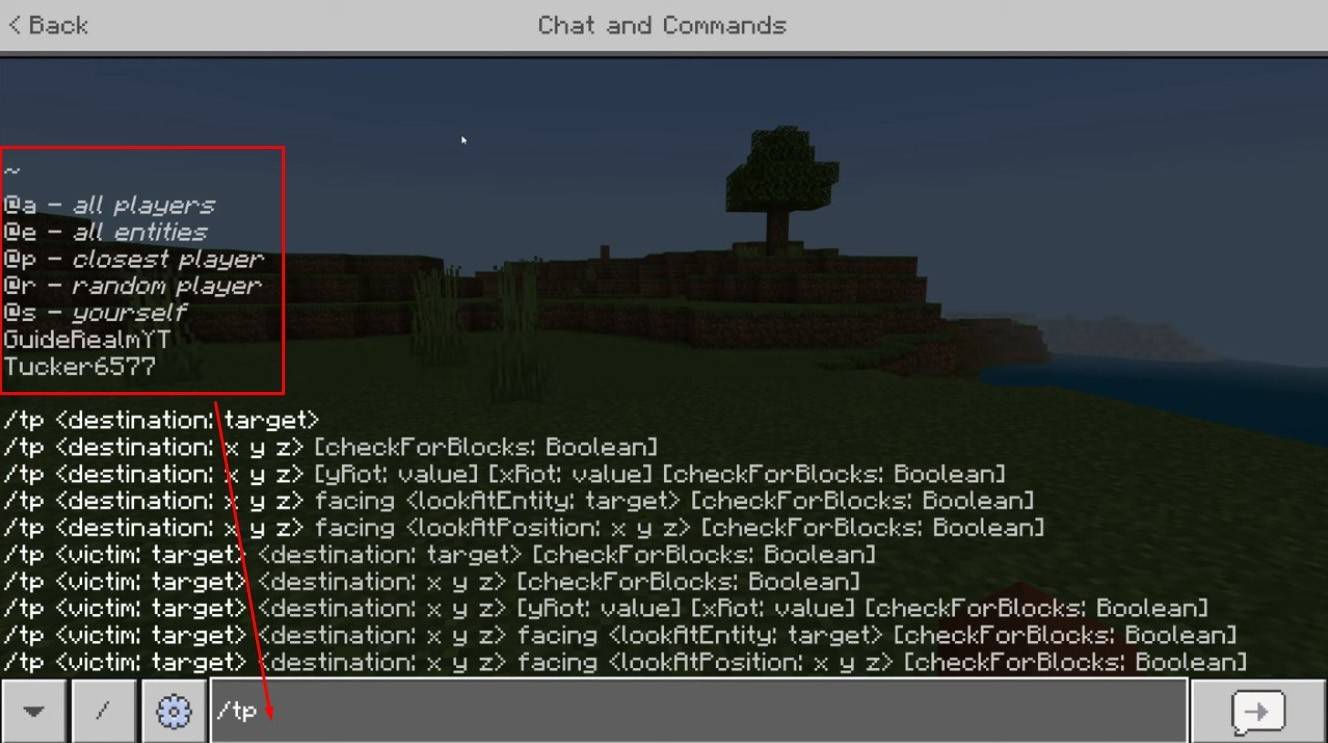 Image: youtube.com
The primary command is "/tp," offering various parameters for precise control. You can teleport to players, specific coordinates, or even set your viewing direction. Creature movement is also possible.
Key command functionalities:
| Command Name | Action |
|---|---|
/tp |
Teleports you to another player. |
/tp |
Allows server admins/operators to move a player. |
/tp |
Teleports you to specific world coordinates. |
/tp |
Teleports and sets viewing direction (yaw = horizontal, pitch = vertical). |
/tp @e[type= |
Teleports all creatures of a specified type to given coordinates. |
/tp @e[type=creeper,limit=1] |
Teleports the nearest creature of a specified type. |
/tp @e |
Teleports all entities (players, creatures, items, boats). Use cautiously. |
On servers, command availability depends on player permissions. Operators and administrators have unrestricted access, while regular players require authorization.
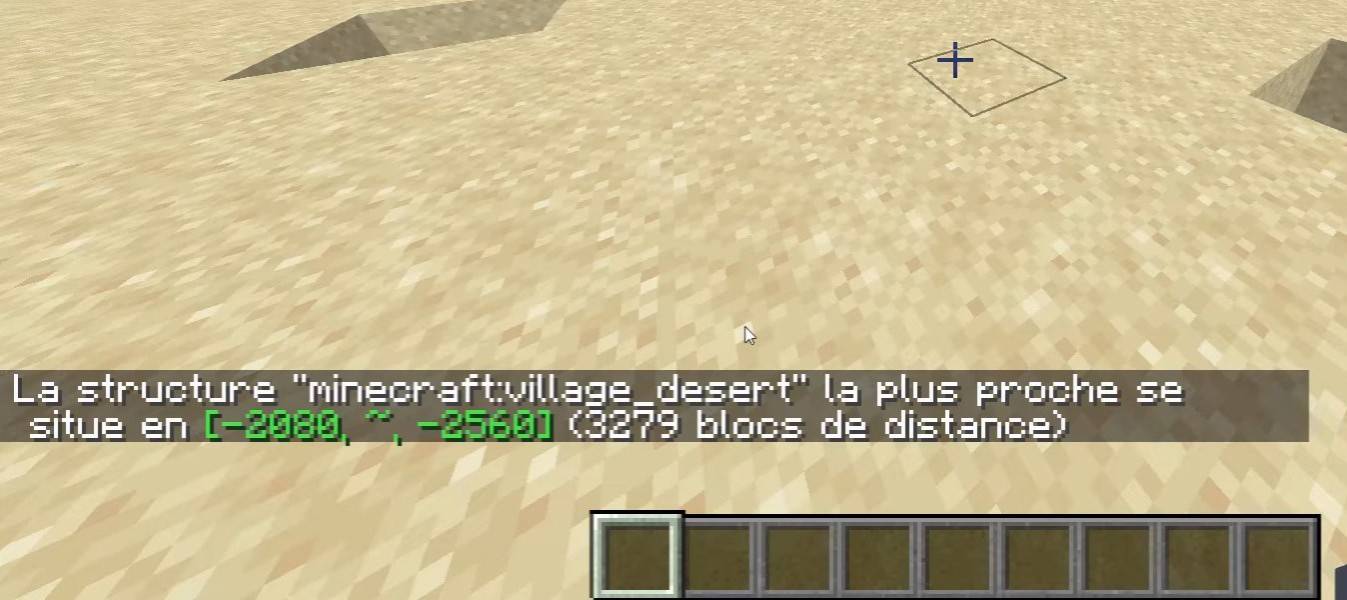 Image: youtube.com
The "/locate" command is frequently used to find structures (villages, fortresses), providing coordinates for "/tp" usage.
Survival Mode Teleportation
The "/tp" command is initially unavailable. Activation requires enabling cheats during world creation, using a command block, obtaining server administrator rights, or installing plugins like EssentialsX.
Teleportation via Command Blocks
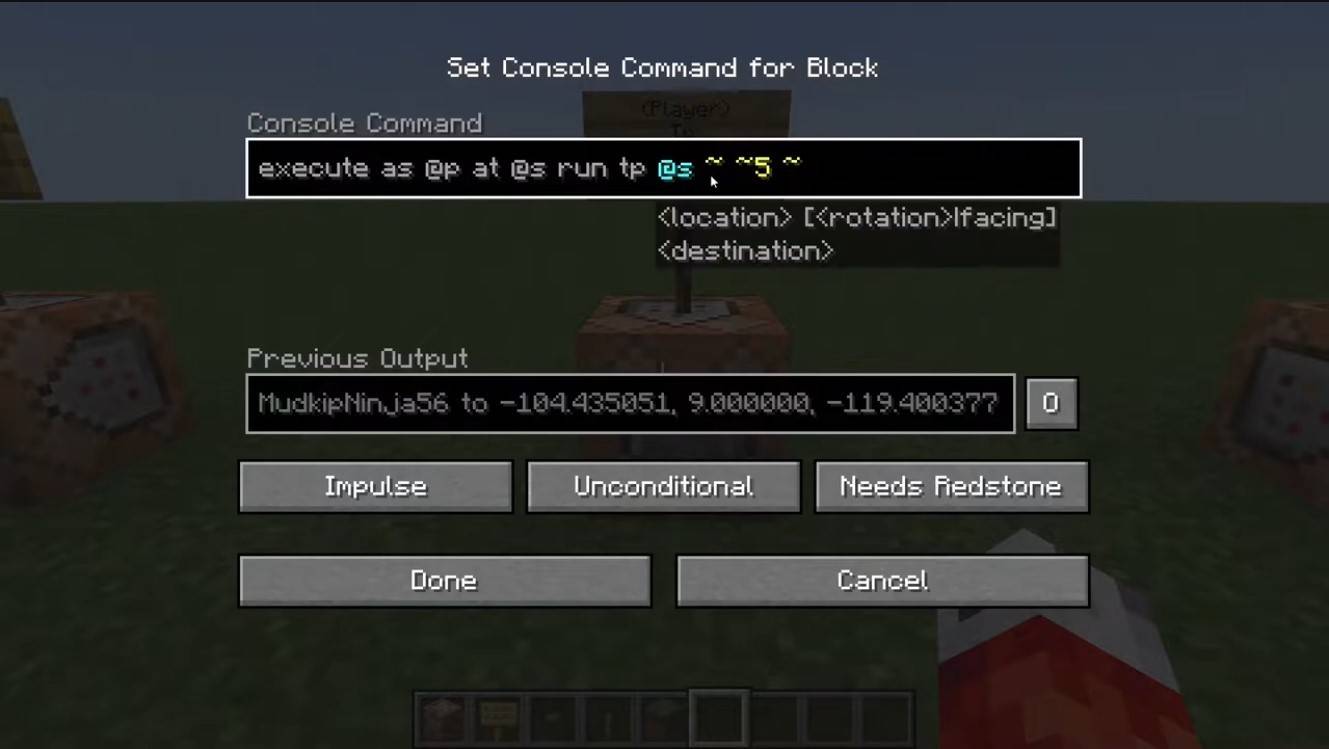 Image: youtube.com
Command blocks automate teleportation. For multiplayer, server settings must allow them. Obtain a command block using "/give @p command_block," place it, enter the desired command, and connect a lever or button for activation.
Server Teleportation
Servers often employ custom teleportation commands; availability depends on your role. Administrators, moderators, and donators typically have more options than regular players. Common server commands include:
/spawn: Returns the player to the server's spawn point./home: Teleports the player to their registered home./sethome: Sets a home point./warp: Teleports to a predefined warp point./tpa: Sends a teleportation request to another player./tpaccept: Accepts a teleportation request./tpdeny: Rejects a teleportation request.
Check server rules before teleporting; some servers impose restrictions, delays, or penalties for combat teleportation. If a command fails, verify your permissions or seek alternatives.
Common Errors and Solutions
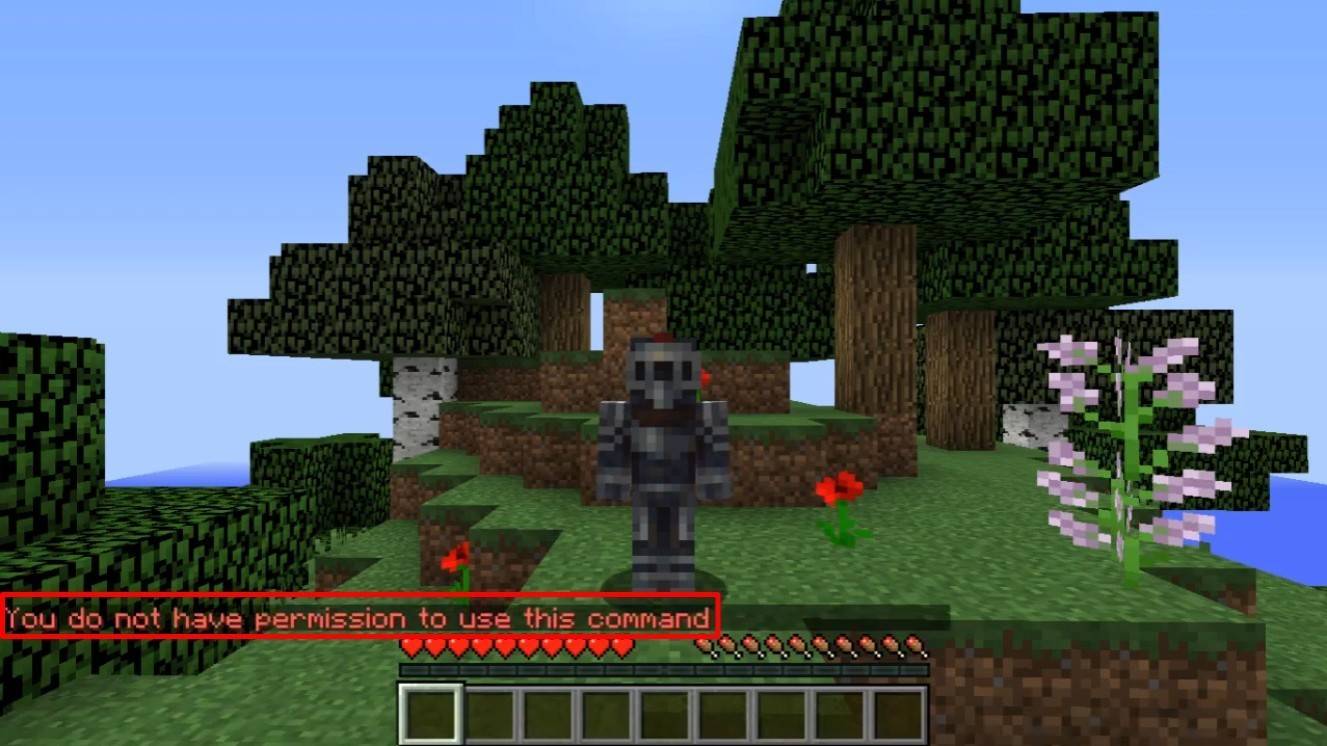 Image: youtube.com
"You do not have permission" errors indicate insufficient permissions. Request administrator authorization or enable cheats in single-player mode. "Incorrect argument" errors signify command or argument errors; double-check their accuracy. If teleportation places you underground, ensure the Y-coordinate is sufficiently high (64 or more). Delays may result from server settings intentionally added to prevent cheating.
Tips for Safe Teleportation
Ensure the destination is safe. On servers, use "/tpa" to avoid accidental movements. Set a return point using "/sethome" before exploring new areas. When teleporting to unknown locations, carry potions or a totem of undying for safety.
Minecraft teleportation is a valuable tool for efficient navigation and gameplay management. Commands, plugins, and command blocks facilitate effective travel, but use it wisely to maintain game balance.
Main Image: youtube.com
-
 Mar 01,25Trading Features Guide for Pokémon TCG Pocket Mastering Pokémon TCG Pocket's Trading System: A Comprehensive Guide Expand your Pokémon TCG Pocket collection, optimize your deck, and connect with fellow players through the exciting trading system. This guide covers key trading features, effective strategies, and tips for maximizing your trading
 -
 May 06,25"New RPG Isekai∞Isekai Launches with Nine Anime Worlds to Explore" Do you love isekai animes and wish you could play your favorite ones as games on the same platform at once? Colopl has made your dreams come true with their new game, Isekai∞Isekai, which is now available on Android. However, it's important to note that this isn't a global release yet; it's currentl
 -
 May 14,25Pokémon Presents 2025 Unveils Exciting New Reveals Pokémon Presents 2025, held on February 27, once again delighted fans with a host of exciting news. Unexpected announcements, details about the upcoming Pokémon Legends: Z-A, new fighters in beloved games, updates on the franchise’s TV series, and events across various titles — all of this was cover
 -
 Jan 27,25Discover the Enigmatic Pokémon Vending Machines: Unveiling Their Wonders Discover the World of Pokémon Vending Machines: A Comprehensive Guide Pokémon fans are buzzing about the increasing presence of Pokémon vending machines across the US. This guide answers your burning questions about these automated merchandise dispensers. What are Pokémon Vending Machines? Pokémon