





Mi LUMA

 |
Latest Version | 1.18.2 |
 |
Update | Jun,08/2026 |
 |
Developer | ATCO Technology Management Ltd |
 |
OS | Android 5.1 or later |
 |
Category | Lifestyle |
 |
Size | 99.70M |
| Tags: | Lifestyle |
-
Latest Version
1.18.2
-
Update
Jun,08/2026
-
Developer
ATCO Technology Management Ltd
-
OS
Android 5.1 or later
-
Category
Lifestyle
-
Size
99.70M


 Download(1.18.2)
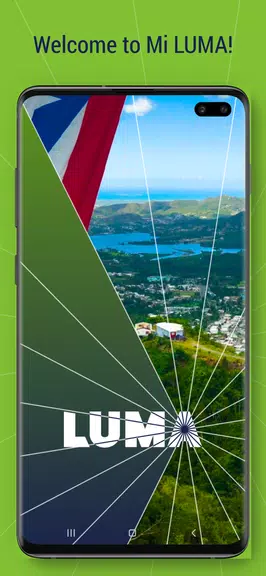
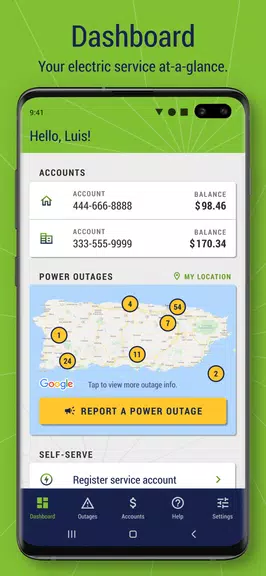
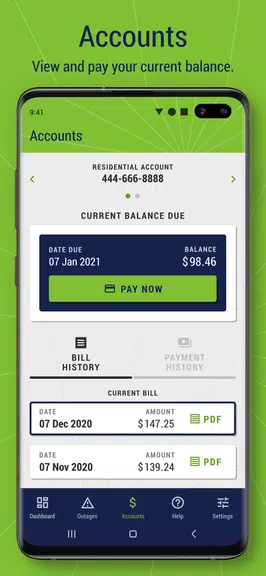
Managing your LUMA account is simpler than ever with the Mi LUMA app! Sign up with just a few details and log in using your preferred method for fast, secure entry. Once logged in, view your current balance and account details instantly from the intuitive Dashboard. Pay your bill immediately using a credit card or bank account and review your payment and billing history from the last 12 months. Report outages, find answers to frequently asked questions, and enjoy round-the-clock access to your electric service account from any location.
What Mi LUMA Offers:
- Quick Registration and Login
Register easily with your residential or business account information, which includes the last four digits of your Social Security Number or EIN. Existing users can sign in using their established online credentials.
- Biometric Login Choices
After your first login, choose from convenient sign-in options like Face Unlock, fingerprint scan, PIN, or unlock pattern for fast and secure account access.
- Dashboard Overview
The app includes an easy-to-navigate dashboard that shows your current electric service balance and essential account information such as the total amount due and payment deadline.
- Billing Management
You can view and download your current bill in PDF format right from the app. You can also make payments with a credit card or bank account, where transactions are credited on the same day.
- Payment History Overview
Access a complete 12-month record of bills and payments, enabling you to monitor your financial activity conveniently.
- Outage Reports and FAQ Access
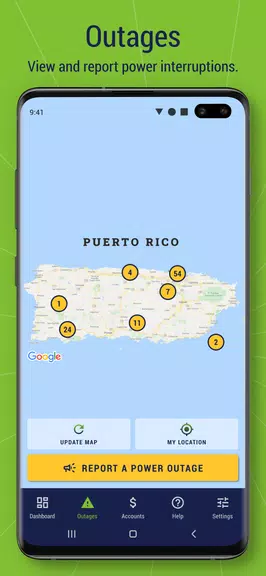
Report and check outages through the app, and browse a comprehensive FAQ section for help with any questions or issues as you transition to LUMA.
Helpful User Tips:
* Enable Face Unlock or fingerprint for faster logins
* Pay your bill conveniently with a credit card or bank account
* Refer to the FAQ section for answers to questions or concerns
* Monitor your account balance and payment due date regularly
Final Thoughts:
Mi LUMA makes handling your electric service account more convenient than ever. Keep track of bills, payments, and outages all within one easy-to-use app. Log in quickly and securely with multiple methods, pay your bill without hassle, and get helpful support whenever needed. Download Mi LUMA now and enjoy the ease of managing your account wherever you are.