






Lulubox

 |
Latest Version | 6.20.0 |
 |
Update | Apr,25/2026 |
 |
Developer | lulubox |
 |
OS | Android 5.1 or later |
 |
Category | Personalization |
 |
Size | 18.28M |
| Tags: | Other |
-
Latest Version
6.20.0
-
Update
Apr,25/2026
-
Developer
lulubox
-
OS
Android 5.1 or later
-
Category
Personalization
-
Size
18.28M




 Download(6.20.0)
Lulubox is a dedicated game management tool for Android, designed to help users organize their games, applications, and other gaming-related content. It provides powerful capabilities for serious gamers looking to improve gameplay with patches, mods, and customizations. Casual players, however, may find it offers more functionality than they require.
Lulubox Features
⭐ Discover a wide selection of trending and popular games with diverse challenges and multiple game modes.
⭐ Compete against other players and dive into the engaging atmosphere of each level.
⭐ Access specialized in-game tools to help you achieve high scores and climb the leaderboards quickly.
⭐ Boost the abilities of your character and gain exceptional in-game power.
⭐ Lulubox is simple to install, set up, and use, with regular updates and new features added often.
⭐ The app runs smoothly on mobile devices, offers strong security, and ensures a seamless and safe gaming experience.
How Lulubox Works
Lulubox supports a broad array of popular Android titles such as Mobile Legends and PUBG. Once installed, users can connect the tool to their gaming accounts. This lets them manage mods, patches, and other content directly through Lulubox, offering a one-stop hub for launching and optimizing games.
Compatibility and Setup
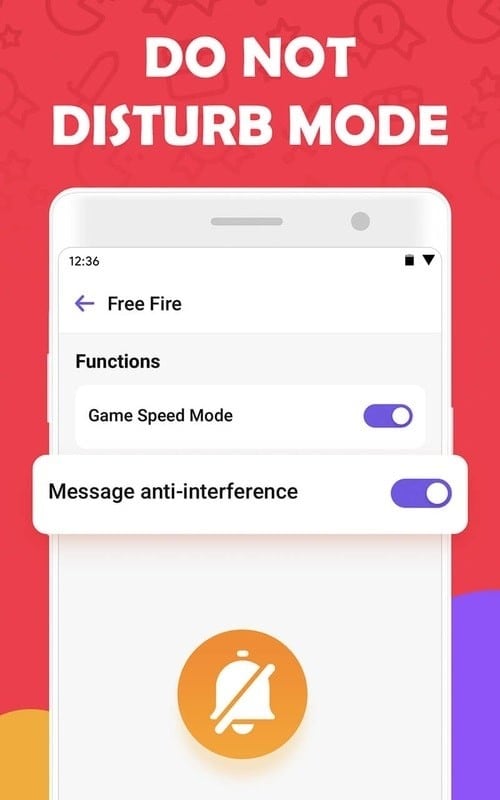
Getting started with Lulubox is simple. Just download the app, follow the setup instructions, and grant permissions for the games you want to manage. The interface is clean and easy to navigate, allowing for quick configuration.
Managing Games and Mods
After setup, Lulubox displays available patches, updates, and mods for each supported game. Mods can significantly transform gameplay, offering new ways to enjoy favorite titles. Users can enable or disable mods before starting a game, and Lulubox helps install them directly from the app.
Extensive Mods and Patches
The app includes a large library of mods and patches for various games. Some can unlock skins, increase movement speed, grant all weapons, and more. Keep in mind that such modifications may breach a game’s terms of service and result in account bans.
Security Considerations
Although Lulubox is safe, downloaded mods and hacks may not be. It is essential to maintain device security and avoid malicious files. The app does not scan mods before download, so users must be cautious. Some modifications may enable bypassing in-app purchases—an unethical and potentially illegal practice.
Blocking Ads and Potential Risks
Lulubox can also block ads in certain games for a cleaner experience. However, using these options may violate game policies and lead to penalties. Enable such features carefully and at your own risk.
Legal and Ethical Considerations
Lulubox does not evaluate the legality or safety of available mods. Users are responsible for their downloads and must adhere to each game’s terms of service. Using unethical or illegal modifications can lead to severe consequences, including permanent bans.
Viewing Lulubox as a Download Manager
The most secure way to use Lulubox is as a download manager for legitimate mods and patches. It simplifies finding and installing approved enhancements, helping dedicated gamers enrich their experience without breaking rules or risking penalties.
Availability
Lulubox is currently available only for Android devices. An iPhone version is not offered at this time.