




droidVNC-NG VNC Server

 |
Latest Version | 2.7.3 |
 |
Update | May,26/2026 |
 |
Developer | Christian Beier |
 |
OS | Android 5.1 or later |
 |
Category | Tools |
 |
Size | 4.50M |
| Tags: | Tools |
-
Latest Version
2.7.3
-
Update
May,26/2026
-
Developer
Christian Beier
-
OS
Android 5.1 or later
-
Category
Tools
-
Size
4.50M


 Download(2.7.3)
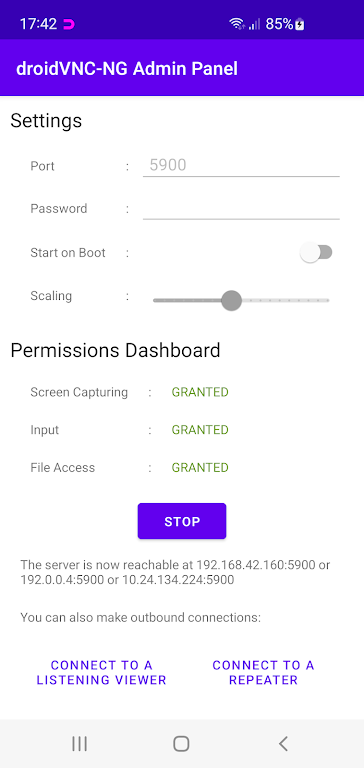
Turn your Android device into a smart remote control and screen-sharing powerhouse with droidVNC-NG VNC Server – no rooting needed. Effortlessly mirror your screen across networks with customizable scaling, take full remote control via any VNC client, access special keys like Home and Recent Apps remotely, and enjoy seamless cross-device copy/paste functionality. Ideal for users who need flexible, wireless Android management from anywhere.
Key Benefits of droidVNC-NG VNC Server:
❤ Complete Remote Access: Stream your Android screen to any device on your network and control it remotely via VNC using keyboard/mouse inputs – just like using your phone directly.
❤ Smart Navigation Controls: Execute essential device functions remotely including Home, Back, and Recent Apps buttons for effortless navigation without touching your phone.
❤ Clipboard Synchronization: Transfer text effortlessly between your Android device and remote computer with bidirectional copy-paste support.
Optimization Guide:
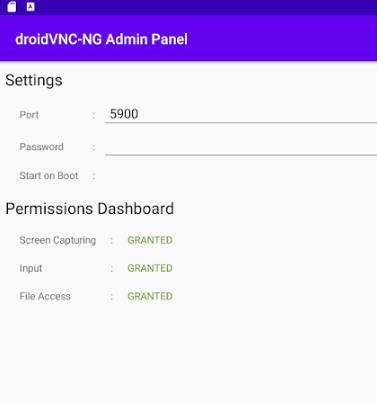
❤ Activate Accessibility Services: Enable Accessibility API permissions during setup to unlock full remote control capabilities and special key functions.
❤ Customize Display Scaling: Fine-tune screen resolution settings server-side for optimal performance based on your network conditions.
❤ Personalize Input Methods: Test different mouse and keyboard configurations through your VNC client to create your ideal remote workflow.
Final Thoughts:
droidVNC-NG VNC Server delivers professional-grade remote access with consumer-friendly simplicity. From wireless screen mirroring to precision device control and content transfer, it combines powerful features with intuitive operation. Perfect for tech-savvy users, IT professionals, or anyone needing reliable Android remote management, this app transforms how you interact with your device. Get it now and redefine mobile accessibility.